Jul 27, 2019 at 12:20 PM


Join Date: Jul 18, 2019
Location:
Posts: 6
There's a bunch of tutorials just three threads below, which might help you with some newbie questions. Both ASM hacking and Image editing are here.


As Joexys pointed out, easiet is to just make a copy one of the prt files under data/stage and also the similiarly named pxa file in the same folder and just make your tileset on that- remember that individual tiles are 16 by 16 pixels.Question 1001!
I was going through Jenkas nightmare and wondered: "How could I make custom tile sets" so Im asking exactly that!
How to I make custom tile sets

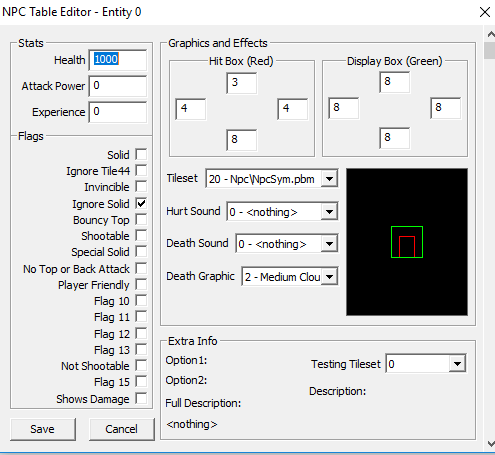
Nah, just Tileset (the one above Hurt Sound). I have no idea what the Testing Tileset thing is for, tbhSo do I do Testing Tileset?


also known as literally the original engine, of course the original engine is better than a fan-made onebetter engine


Here's everything you'll need to know and use for that!Here we go again, sorry to bother you guys, but the stuff, the org stuff, I just need 1 thing I swear
How to make custom org file and how to put them in the files
I'm really sorry

Reshacker (old, compatible version with CS) [link] (direct download)
let's you dig into the exe itself and replace the icons the game has, as well as the mouse graphic, the orgs (the game's native music format) as well as the Credit's image for the game.
Q: How do I replace ORGs?
A: Check out this post by Wedge of Cheese.

Unfortunately there isn't. However, there is the Copy tool for selecting the whole map you've put in so far and then use Draw to place it at the very bottom. It won't exactly solve this preference, but it does help alleviate it.A question for convenience: Is there a way to resize a map in booster's lab BUT do it from the up direction instead of only down?(same thing for left and right obvs). That would definitely be very useful.