• Please stop embedding files/images from Discord. Discord has anti-hotlinking logic in place that breaks links to Discord hosted files and images when linked to from anywhere outside of Discord. There are a multitude of file/image hosting sites you can use instead.

    (more info here)

Quick Modding/Hacking Answers Thread

Sep 24, 2016 at 12:57 AM
Junior Member
"Fresh from the Bakery"
Join Date: Sep 23, 2016
Location:
Posts: 12
Age: 24
Pronouns: he/him
1. Thanks! the link to the new positions says I don't have the permissions to view it though?

2.What should I do if I have a <TRA that, upon reaching the destination, doesn't seem to spawn Quote and just repeats the <FAI over and over?
Here's the code:
#0100
<PRI<CNP0100:0000:0000
<SOU0011<FAO0001
<TRA0096:90:0006:0007
 
Last edited:
Sep 24, 2016 at 1:48 AM
Catz R cool
Modding Community Discord Moderator
"..."
Join Date: Nov 23, 2015
Location: Somewhere within a world far away from reality...
Posts: 381
Age: 25
Pronouns: he/him
1. Thanks! the link to the new positions says I don't have the permissions to view it though?

2.What should I do if I have a <TRA that, upon reaching the destination, doesn't seem to spawn Quote and just repeats the <FAI over and over?
Here's the code:
#0100
<PRI<CNP0100:0000:0000
<SOU0011<FAO0001
<TRA0096:90:0006:0007
In the new map, make an event that actually fades in.
According to what you said about repeating the <FAI, it seems like the new map you're transporting to has either no script or a corrupted script. Thus the game will keep playing the previous script run, which'll be the <TRA into the same map.
 

Attachments

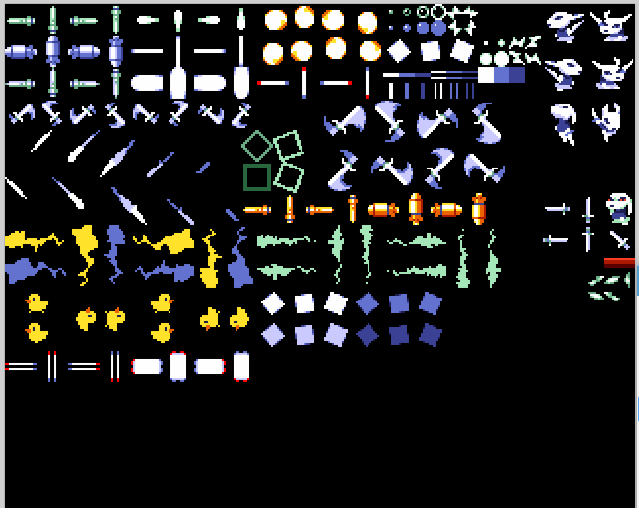
  • Bullet.PNG
    Bullet.PNG
    67.4 KB · Views: 9
Sep 28, 2016 at 5:07 PM
Senior Member
"Fly, Fly, Fly!"
Join Date: Jun 24, 2016
Location: Israel
Posts: 127
Pronouns: he/him
How would I make the game always draw the player's HP value in the HUD with 2 digits (if the HP value would normally only take up 1 digit, the 2nd digit would be 0)?
 
Sep 28, 2016 at 5:16 PM
In my body, in my head
Forum Moderator
"Life begins and ends with Nu."
Join Date: Aug 28, 2009
Location: The Purple Zone
Posts: 5998
Pronouns: he/him
Code:
0x41A32C
02
 
Sep 28, 2016 at 5:19 PM
Senior Member
"Fly, Fly, Fly!"
Join Date: Jun 24, 2016
Location: Israel
Posts: 127
Pronouns: he/him
Oct 11, 2016 at 9:48 AM
Junior Member
"It's dangerous to go alone!"
Join Date: Oct 10, 2016
Location: just behind you and a little to the right
Posts: 36
Age: 22
Pronouns: he/him
Hi guys. Ive been working for days on getting my door to work. It transports my character fine, and follows the entering map script as well. The only problem is, every time i interact with another entity, it plays the entering map script. I have tried for days to get this to work. Can somebody please help.
 
Last edited:
Oct 11, 2016 at 9:50 AM
Senior Member
"Fly, Fly, Fly!"
Join Date: Jun 24, 2016
Location: Israel
Posts: 127
Pronouns: he/him
Hi guys. Ive been working for days on getting my door to work. It transports my character fine, and follows the script text /fade in. The only problem is, every time i interact with another entity, it plays the entering map script. I have tried for days to get this to work. Can somebody please help.
Make sure the other entities use a different event number than the door entity.
If they do have different event numbers, make sure those events are defined in the script.
 
Oct 11, 2016 at 9:52 AM
Junior Member
"It's dangerous to go alone!"
Join Date: Oct 10, 2016
Location: just behind you and a little to the right
Posts: 36
Age: 22
Pronouns: he/him
Already done all that
 
Oct 11, 2016 at 9:53 AM
Senior Member
"Fly, Fly, Fly!"
Join Date: Jun 24, 2016
Location: Israel
Posts: 127
Pronouns: he/him
Oct 11, 2016 at 9:55 AM
Junior Member
"It's dangerous to go alone!"
Join Date: Oct 10, 2016
Location: just behind you and a little to the right
Posts: 36
Age: 22
Pronouns: he/him
How do i do that?
 
Oct 11, 2016 at 9:56 AM
Senior Member
"Fly, Fly, Fly!"
Join Date: Jun 24, 2016
Location: Israel
Posts: 127
Pronouns: he/him
Oct 11, 2016 at 9:58 AM
Junior Member
"It's dangerous to go alone!"
Join Date: Oct 10, 2016
Location: just behind you and a little to the right
Posts: 36
Age: 22
Pronouns: he/him
Eggs
 
Oct 11, 2016 at 9:59 AM
Senior Member
"Fly, Fly, Fly!"
Join Date: Jun 24, 2016
Location: Israel
Posts: 127
Pronouns: he/him
Oct 11, 2016 at 10:04 AM
Junior Member
"It's dangerous to go alone!"
Join Date: Oct 10, 2016
Location: just behind you and a little to the right
Posts: 36
Age: 22
Pronouns: he/him
not letting me, it says 'file does not have an allowed extension' when i try and upload
 
Oct 11, 2016 at 10:05 AM
Senior Member
"Fly, Fly, Fly!"
Join Date: Jun 24, 2016
Location: Israel
Posts: 127
Pronouns: he/him
not letting me, it says 'file does not have an allowed extension' when i try and upload
Compress the 3 files into a ZIP file (look up a tutorial if you don't know how) and upload that.
 
Oct 11, 2016 at 10:13 AM
Junior Member
"It's dangerous to go alone!"
Join Date: Oct 10, 2016
Location: just behind you and a little to the right
Posts: 36
Age: 22
Pronouns: he/him
there you go

please ignore the terrible dialogue
 

Attachments

Last edited by a moderator:
Oct 11, 2016 at 10:26 AM
Senior Member
"Fly, Fly, Fly!"
Join Date: Jun 24, 2016
Location: Israel
Posts: 127
Pronouns: he/him
there you go
The TSC file said:
#204
//...
#205
//...
#206
//...
The event numbers in the script must always be 4 digits long. Just add a 0 to the end of each one and you'll be good.
Might as well point out some other issues:
  • The closed chest object has both the "Interactable" and "Run event on contact" flags on, when only the "Interactable" flag should be on,
  • The open chest object has the "Interactable" flag off when it should be on,
  • And there are no line breaks in the dialouge (hint: when the text turns red, it means that it goes over the character limit of 35 characters and that you need a newline, except when it happens exactly on the last 35th character, where you must not put a newline).
 
Oct 11, 2016 at 10:30 AM
Junior Member
"It's dangerous to go alone!"
Join Date: Oct 10, 2016
Location: just behind you and a little to the right
Posts: 36
Age: 22
Pronouns: he/him
acknowledged. thanks for helping! it all works perfectly now.
 
Last edited:
Oct 14, 2016 at 10:35 AM
Junior Member
"It's dangerous to go alone!"
Join Date: Oct 10, 2016
Location: just behind you and a little to the right
Posts: 36
Age: 22
Pronouns: he/him
Hi, how do i make a save point(script,not entity placement)?
Also, how would one script a boss battle?
 
Oct 14, 2016 at 10:46 AM
Senior Member
"Fly, Fly, Fly!"
Join Date: Jun 24, 2016
Location: Israel
Posts: 127
Pronouns: he/him
Hi, how do i make a save point(script,not entity placement)?
You don't need to change your scripts to place a save point, simply place the save point entity, make it interactable and give it an event number of 16.

Also, how would one script a boss battle?
The way to script a boss battle depends on what boss you're trying to script.
 
Back
Top